
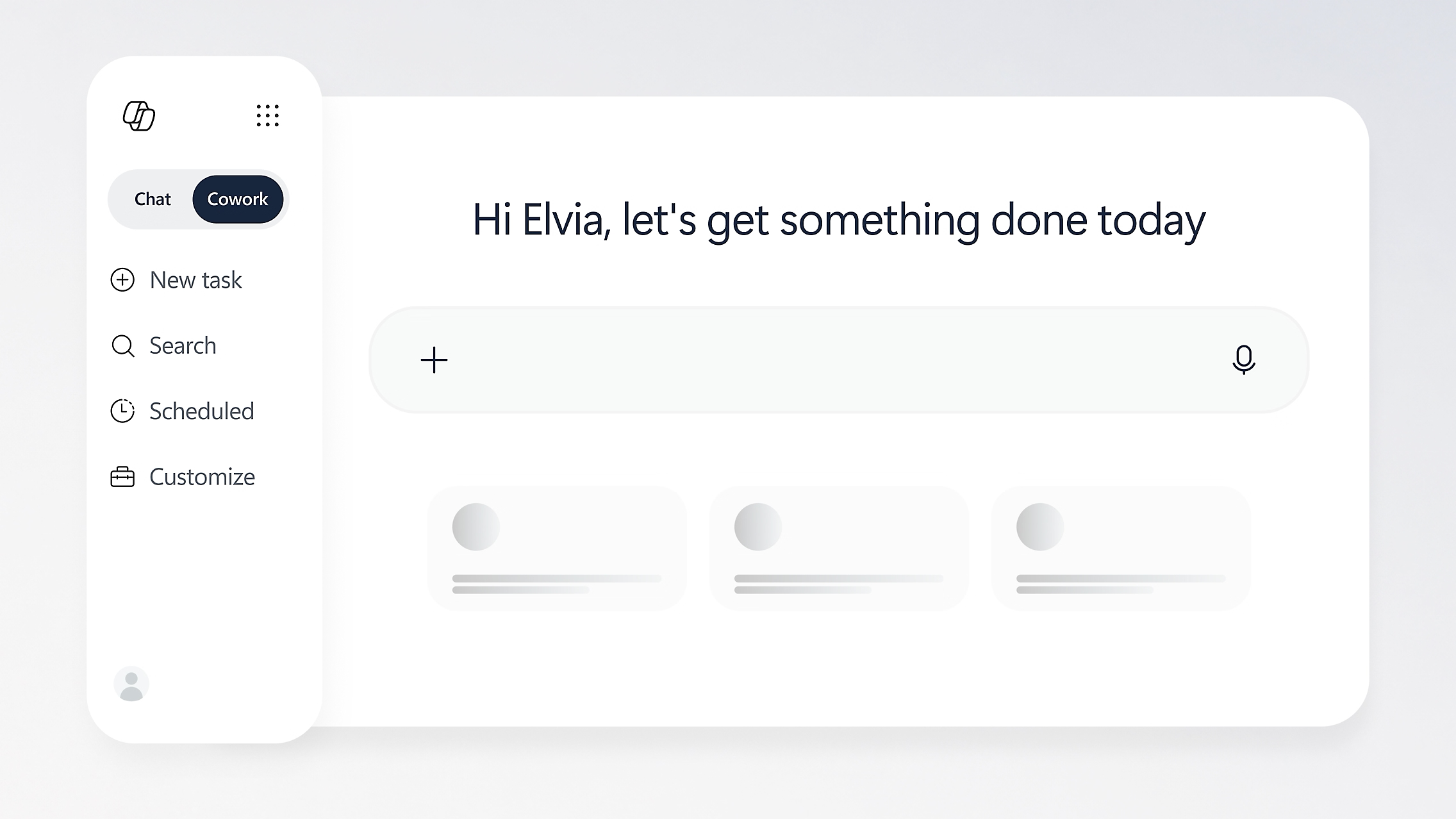
How It Works

Delegate
You describe the task or process.
Execute
Cowork plans steps, reasons across your tools and files, and carries work forward — even after you close your laptop.
Deliver
Finished outputs saved to OneDrive, shareable and ready to use.
Cowork connects to the tools
your team uses





Join the Copilot Takeoff Program
Our 30-day Copilot Takeoff will set up your Modern Workplace Environment so it is ready for your users to use Microsoft Copilot safely, securely, and efficiently in their day-to-day work.
The Microsoft Copilot Takeoff Program is designed to ensure a seamless integration of AI into your business operations. This exclusive program, provided by Aliando, offers personalized support and a step-by-step approach to help you deploy Microsoft Copilot quickly and effectively. Whether you're looking to boost productivity, automate processes, or gain deeper insights from your data, the Copilot Takeoff Program will get you up and running in no time.

Personalized Onboarding
Get tailored support for your specific business needs and setup.
Rapid Deployment
Experience fast and efficient deployment, reducing downtime and helping you start benefiting from Copilot's AI features immediately.
Training and Optimization
Our experts will guide your team through the process, ensuring you’re using Copilot to its fullest potential.
Ongoing Support
After deployment, we’ll be there to assist with optimization, updates, and scaling as your business grows.
Key Benefits of Microsoft Copilot
Microsoft Copilot brings the power of AI directly into your business operations, transforming the way you work. By integrating seamlessly with Microsoft 365 applications, Copilot helps you streamline tasks, boost productivity, and make smarter decisions. Here’s how Copilot can help your business thrive.
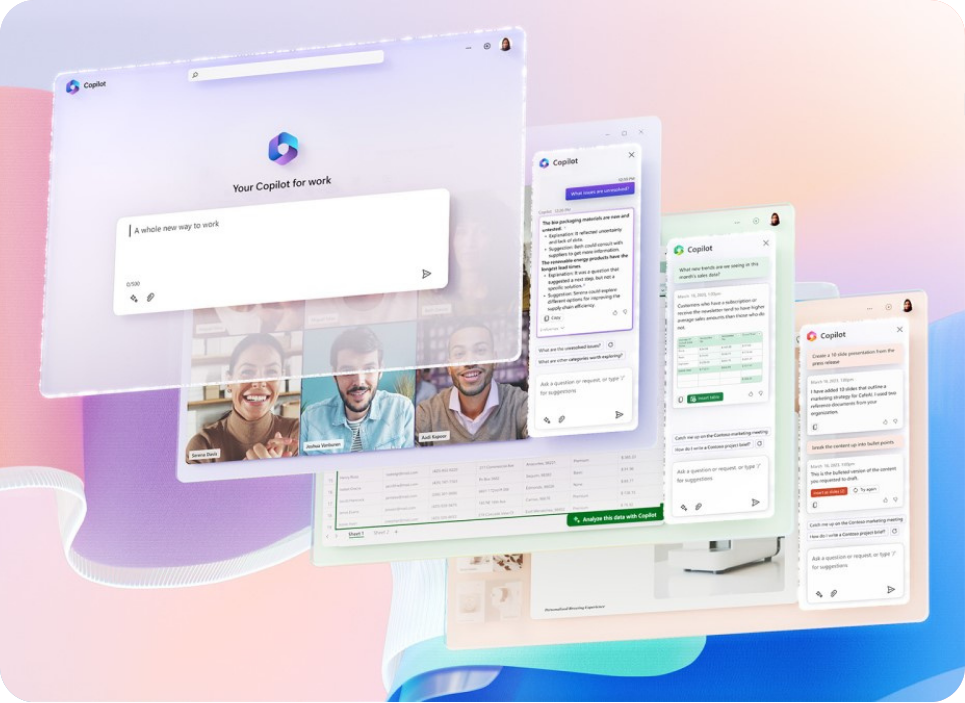
Increased Productivity
Automate repetitive tasks and reduce manual workloads, allowing your team to focus on higher-value activities. Copilot works within Microsoft Word, Excel, and more to simplify daily operations.
Enhanced Decision-Making
Leverage real-time AI-driven insights to make informed decisions faster. Whether you're analyzing data or writing reports, Copilot helps you gain deeper insights into your business performance.
Seamless Integration with Microsoft 365
Copilot integrates effortlessly with your existing Microsoft 365 apps, from Word and Excel to Teams and PowerPoint, providing AI-powered assistance where you need it most
AI-Powered Automation
Streamline workflows by letting Copilot automate routine tasks like data entry, scheduling, and even content creation. Save time and reduce human error with smart automation tailored to your needs.
Better Collaboration
Keep your teams connected and on the same page with AI-assisted collaboration in Microsoft Teams. Copilot helps organize meetings, track action items, and ensure everyone is aligned toward shared goals.
Cost Savings
By improving efficiency and reducing time spent on manual tasks, Copilot helps cut operational costs, freeing up resources to invest in strategic initiatives.

Microsoft
Word
Creative Boost: Struggling with a blank page? Copilot jumps into action, helping you start the writing process.
Efficient Editing: From drafting to editing, Copilot assists in creating persuasive, well-structured documents.
Example Prompts: Generate summaries, adjust tones, and layout ideas at your fingertips.

Microsoft Powerpoint
Idea to Reality: Turn your rough ideas into visually stunning presentations.
Design and Summarization: Copilot assists with slide design, storytelling flow, and summarizing key points.
Example Prompts: Create presentations from documents, summarize decks, and format slides with ease.

Microsoft
Excel
Effortless Data Management: Analyze, filter, and sort data effortlessly. Copilot even handles complex formulas.
Visualizations in Seconds: Quickly create professional data visualizations to make your data speak.
Example Prompts: Break down sales data, project impacts, and model growth scenarios.

Microsoft
Outlook
Efficiency in Email Management: Navigate your inbox quickly, draft emails, and summarize long threads.
Example Prompts: Summarize missed emails, draft professional responses, and organize meetings efficiently.

Microsoft
Teams
Meeting Productivity: Real-time summaries of discussions, aligning points of agreement and disagreement.
Content Creation: Utilize information from various sources to create new content like pros and cons tables.
Example Prompts: Summarize meetings, create decision tables, and outline action steps.
Every Step of the Way
At Aliando, we believe that adopting new technology should be as seamless as possible. That’s why we provide full support throughout your Microsoft Copilot journey. Whether you're starting with the free trial, deploying Copilot across your organization, or optimizing it for peak performance, our team is here to ensure success at every stage.
Dedicated Onboarding Assistance
Get personalized help during the setup and configuration of Microsoft Copilot. Our team of experts will guide you through the entire onboarding process to ensure a smooth transition.
24/7 Technical Support
Whenever you need help, our support team is available 24/7 to resolve any technical issues quickly. Whether it's troubleshooting a specific feature or addressing integration questions, we're just a call or message away.
Optimization and Best Practices
After your initial setup, we continue to provide guidance on optimizing Copilot for your unique business needs. Our experts will offer best practices to help you get the most out of AI-driven automation and insights.
Training and Resources
Our comprehensive training resources help your team get up to speed with Microsoft Copilot. We offer step-by-step guides, video tutorials, and personalized training sessions to ensure everyone knows how to make the most of Copilot’s features.
Ongoing Updates and Improvements
Microsoft Copilot is continuously evolving with new features and improvements. We keep you informed about the latest updates and ensure that your Copilot system is always running at its best.